
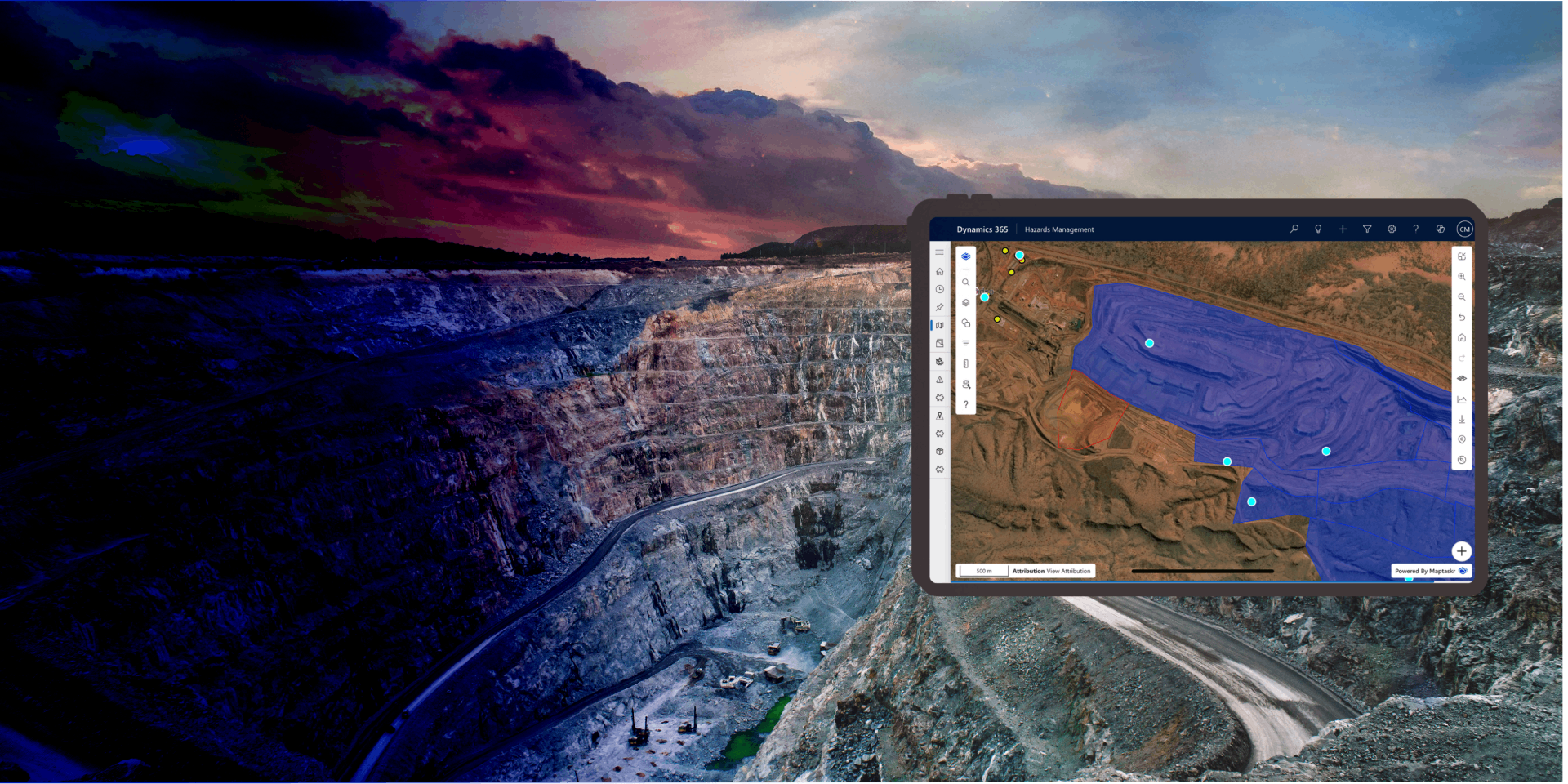
Enhanced Map Filtering
Precise spatial queries at your fingertips - pre-load, combine, and refine location-based filters without complexity.
Enhanced Map Filtering transforms how organisations query and refine spatial data. Instead of manual, repetitive filtering workflows, users can apply intelligent, pre-configured filters that adapt to their current context - and combine multiple filters together to uncover exactly the insights they need.
Whether you're working with territories, service areas, asset locations, or customer zones, Enhanced Map Filtering lets you instantly narrow down datasets using any combination of geometric shapes and spatial relationships. Filters can be stacked, modified on the fly, and toggled on and off - giving users complete control over the data they see without requiring specialised GIS knowledge.
By pre-loading filters based on form context and business rules, organisations eliminate the need for manual setup. Users inherit sensible defaults tailored to their role, location, or department—then refine further as needed. This reduces decision fatigue, accelerates analysis, and ensures consistent filtering logic across teams.
Built into Maptaskr Power Maps and available across Dynamics 365, Power Apps, and Power Pages, Enhanced Map Filtering integrates seamlessly with your existing business data, making sophisticated spatial analysis accessible to every user.
Manage Filters with Single-Click Control
Curated filters can be toggled on and off instantly, allowing users to explore "what if" scenarios without reconfiguring or losing their setup. A simple button press activates or deactivates a filter - keeping the configuration intact for next time.
This low-friction interaction model means users can quickly compare views: What does the data look like with this sales region filter? Without it? With both sales region and service level filters applied? Answers arrive instantly, enabling faster comparisons and more confident decision-making.
By reducing friction between curiosity and result, organisations empower users to explore data more deeply and answer questions they might otherwise leave unasked.
Filter Using Any Shape, For Any Scenario
Filtering isn't limited to a single geometry type. Users can create filters using points to isolate individual locations, lines to follow routes or corridors, polygons to define complex boundaries and zones, circles to apply radius-based searches, and extents to query rectangular areas—all within the same filtering interface.
Each geometry type can be drawn directly on the map, imported from existing data, or configured centrally by administrators. This flexibility means filters can match real-world scenarios: search by proximity to a point, include everything along a route, exclude assets within a zone, or find records within a radius of a customer location.
By supporting all geometry types in a unified filtering experience, users can ask spatial questions of any shape or complexity without workarounds or worrying about what tools they have available.
Adapt Filters to Precise Business Logic
Raw geometry is just the starting point. Enhanced Map Filtering lets users adjust buffer distances, choose distance units, and define how filters combine—ensuring spatial queries match real business logic, not just abstract geometry.
Increase or decrease buffer radii to account for travel time, service coverage, or risk zones. Switch between miles, kilometres, or custom units. Then choose how multiple filters interact: union to include records matching any filter, subtract to exclude certain zones, or intersect to find records matching all filters at once. These operations can be combined and adjusted in real time, letting users experiment and refine until the results match their intent.
By providing fine-grained control over spatial relationships and filter logic, users can translate complex business rules—"Show customers within 10 miles of our warehouse, but exclude those already served by another team, and only where we have capacity"—into map queries that execute instantly and accurately.
Start with Pre-Loaded Context, Not from Scratch
Filters don't have to be manually configured each time. Administrators can define curated filters that automatically load based on form variables, business context, or user attributes—such as a salesperson's territory, a service team's region, or a department's operational area.
When a user opens a form, the relevant filters are already in place, pre-applied to the map, and ready to refine. This eliminates setup overhead and ensures that users are immediately working with data relevant to their role. The map responds instantly, showing only the information that matters to their current task.
By connecting filters to existing business data and form context, organisations create a frictionless experience where spatial context automatically flows into every mapping experience.
Layer Filters On Top of Each Other, Building Complexity Gradually
Multiple filters combine intelligently, with each new filter respecting the constraints imposed by previous ones. Users can stack filters progressively, narrowing the dataset step by step while maintaining visibility into what each filter is contributing. For example: Start with a geographic region, then layer on a product category filter, then layer on a status filter—each step reducing the dataset while keeping the logic transparent. Users see exactly which records remain and why, making it easy to backtrack or adjust if needed. This composable approach lets teams answer increasingly sophisticated questions without starting over: instead of "Show me all sales in the west region" becoming "Show me all *high-priority* sales in the west region *where the account is on the renewal list*", users simply add one filter at a time. By making filter combination intuitive and reversible, organisations enable complex spatial analysis without requiring specialised training.
-
Filters That Know Your Context
Pre-load filters automatically based on form data and business rules—no manual setup needed.
-
Any Geometry, Any Logic
Support points, lines, polygons, circles, and extents—plus buffer distances, distance units, and union/subtract/intersect operations for real business complexity.
-
Explore Fearlessly
Stack filters, toggle them on and off, and refine instantly—discovering insights at your own pace.

Ready to turn complex spatial questions into instant map queries?